Visitor management systems for NZ offices: replacing the paper sign-in book
Why the paper visitor sign-in book is now a liability
Walk into a typical NZ workplace and you still see a paper visitor sign-in sheet on the front desk. That single clipboard quietly undermines your health and safety obligations, your NZ Privacy Act compliance, and the professional visitor experience you are trying to create in a smart office environment. The gap between what WorkSafe expects and what that manual system can actually manage grows wider every day.
For any office manager running a multinational NZ site, the core problem is simple to check and easy to explain to offshore teams. A paper visitor sign process cannot give you real time visibility of visitors, contractors, and guests on site, which means you cannot reliably prove who was in the building if an evacuation, incident, or audit occurs. That is why a modern visitor management system for an NZ office is less about shiny software icons and more about basic governance, security, and demonstrable compliance.
WorkSafe requires PCBUs to know which visitor or contractor is on the premises at any given time under the Health and Safety at Work Act 2015 duty to ensure, so far as is reasonably practicable, the health and safety of workers and other persons (see sections 36–37 and WorkSafe guidance on emergency planning and worker engagement). A handwritten management system based on a loose book cannot support accurate emergency mustering, nor can it enforce consistent access control rules for different visitor types. When you add NZ Privacy Act rules about how long you keep business photo records, how you store management software data, and how you dispose of old pages under Information Privacy Principle 5 (storage and security) and Principle 9 (retention), the traditional sign book starts to look like a compliance risk rather than a free, simple tool.
Compliance drivers unique to New Zealand offices
New Zealand offices sit inside a specific triangle of obligations, shaped by WorkSafe, the Privacy Act, and landlord building security rules. A digital visitor management platform gives you a single management system to align those requirements, instead of juggling separate spreadsheets, email trails, and a paper visitor sign sheet at reception. The result is a cleaner audit trail, clearer accountability, and less manual work for already stretched office management teams.
For emergency mustering, a visitor management system in an NZ office should show in real time which visitors, staff, and contractors have checked in or checked out of the site. Tools like SwipedOn, Envoy, Proxyclick, or iLobby can generate an instant list of all guests on the workplace floor, including pre register details and any health safety acknowledgements they have signed. That beats trying to read rain soaked paper outside on the assembly point while your front desk colleague flips pages to find a half legible visitor sign entry, or discovering later that the book was left behind in the rush.
The Privacy Act treats visitor management data as personal information, whether it is a business photo, a passport scan, or a digital signature on a safety briefing. A robust management software platform lets you configure retention periods, access permissions, and deletion rules that match your governance policies, instead of leaving old books in an unlocked cupboard. If you are already thinking about remote monitoring of office systems, it makes sense to align your visitor management with the same digital controls you apply to other workplace technology, as explored in this analysis of how remote equipment monitoring is reshaping office operations in New Zealand.
From reception bottleneck to smart office workflow
In many NZ offices, the front desk is not a dedicated role but the same office manager who also runs payroll, procurement, and facilities. A paper based visitor sign process forces that person to stop what they are doing, check the diary, call the host, and manually manage badge printing or access control every time a visitor arrives. A digital visitor management system for an NZ office turns that chaos into a predictable workflow that runs with minimal intervention and fewer interruptions.
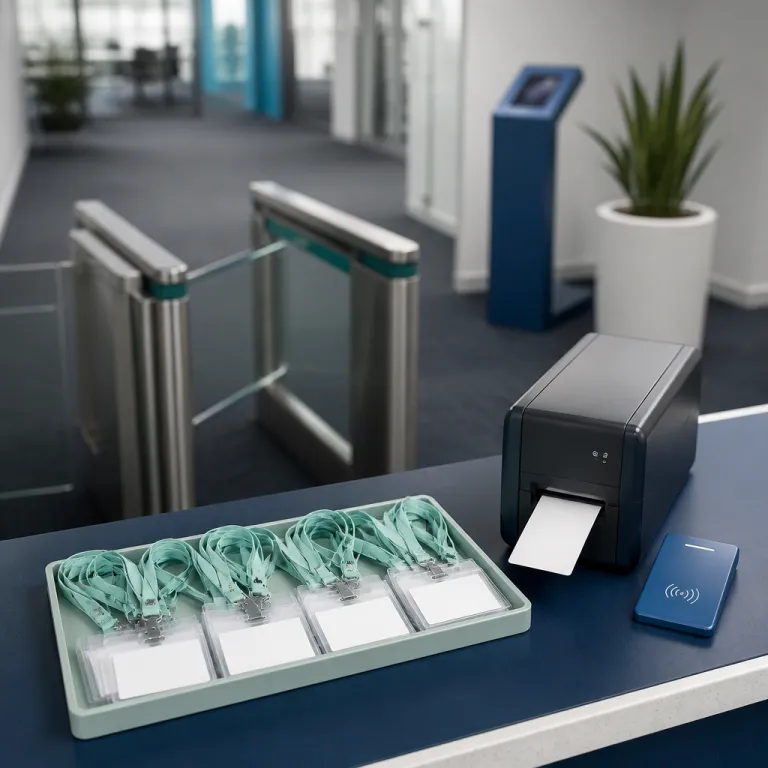
Pre registration is the first big win, because it shifts work from peak arrival time to quiet planning time. When hosts pre register visitors, the system can email directions, parking details, and any required health safety or NDA documents in advance, which improves the visitor experience before they even reach the site. On arrival, the visitor simply uses a tablet to check in, confirm details, and print a badge, while the host receives an automatic notification and the management software logs the visit in real time.
That same workflow supports contractor management, which is often the blind spot in NZ workplaces. You can require contractors to sign site specific safety briefings on screen, record induction completion, and link their visitor management record to access control permissions for certain floors or rooms. For an office manager who cares about privacy friendly metrics, the same discipline you apply to office occupancy tracking without the creep factor should extend to how you track visitors and guests, with clear rules about what you collect and why.
Choosing visitor management software that fits NZ realities
Global headquarters often push a single visitor management platform across all regions, but NZ offices have specific needs that generic rollouts miss. SwipedOn, founded in Tauranga, is a useful benchmark because it bakes NZ compliance, local support time zones, and common landlord requirements into its management system design. When you compare it with Envoy, Proxyclick, or iLobby, you quickly see how data residency, GST invoicing, and WorkSafe language can matter more than a glossy business photo or animated icons on the sign in screen.
When you evaluate any visitor management system for an NZ office, start with the unglamorous details. Can the software handle multiple sites with different access control rules, and can it show real time visitor lists per floor or tenancy for emergency mustering? Does it support badge printing that clearly labels guests, contractors, and temporary staff, and can it integrate with your existing smart office tools such as meeting room panels or building management software without creating another silo, while still allowing you to export data in open formats if you ever need to change platforms?
Visual polish still matters, because the sign in screen is often the first digital touchpoint for visitors. Many platforms use design assets similar to freepik icons or freepik flaticon style packs, but your priority should be clarity over cute vector created graphics or icons created purely for marketing. Ask vendors to show how their created freepik style templates can be customised to your brand, how they handle free trials without locking your data, and how their management software logs can be exported if you ever change systems, so you are not trapped by a pretty interface and weak governance.
ROI, governance, and the real cost of doing nothing
Office managers are usually asked to justify any new system in hard numbers, especially when the current visitor sign book looks cheap and free. The real comparison is not between a free paper sheet and paid software, but between unmanaged risk and a structured visitor management system for an NZ office that reduces incident impact, audit effort, and reception workload. Once you frame it that way, the ROI conversation becomes much more concrete and easier to explain to finance or global stakeholders.
Start by timing the current process at your front desk during a busy morning. Count how many minutes you or your team spend helping visitors check in, calling hosts, explaining health safety rules, and finding old entries when someone needs to learn who was on site last week. Then compare that with a digital flow where visitors pre register, sign required documents on screen, and trigger automatic host notifications, while the system keeps a searchable log that can be exported in seconds for WorkSafe or landlord reporting. A simple internal time-and-motion exercise over a fortnight, using a sample of typical visitor volumes, will usually show that digital tools save several minutes per visitor at peak times and cut evacuation roll calls from a long, paper based headcount to a short, data driven check.
Governance benefits are harder to photograph than a glossy business photo or a photo created for a freepik business style brochure, but they matter more when something goes wrong. A well configured visitor management platform supports consistent access control, clear data retention, and aligned policies across NZ and overseas offices, which is exactly what a cross border operations manager needs. When you next review your broader health and safety settings in light of regulatory changes such as the issues discussed in this overview of what small NZ offices should prepare for under health and safety amendments, treat visitor management as part of the same governance stack, not as a lonely clipboard at reception. If you want to move beyond the paper book, start by shortlisting two or three visitor management tools that integrate with your existing access control and meeting room systems, run a four week trial in one NZ office, and then use the time saved and incident readiness improvements as the basis for a wider rollout.
FAQ
What is a visitor management system for an NZ office ?
A visitor management system for an NZ office is software that replaces paper sign in books with a digital process for registering visitors, contractors, and guests. It records who is on site in real time, manages health safety acknowledgements, and supports emergency mustering and audit reporting. In New Zealand, it also helps offices comply with WorkSafe requirements and the Privacy Act when handling visitor data.
How does digital visitor management improve emergency evacuations ?
Digital visitor management tools maintain an up to date list of everyone who has checked in or out of the workplace. During an evacuation, wardens can access this list on a tablet or phone and quickly confirm which visitors and staff are safely at the assembly point. This is far more reliable than relying on a paper visitor sign sheet that may be incomplete, illegible, or left behind at the front desk.
Why should I care about the Privacy Act when using a sign in book ?
A paper sign in book often exposes names, phone numbers, and company details of previous visitors to anyone who signs in later. Under the NZ Privacy Act, that visitor information is personal data that must be collected, stored, and disposed of securely. A digital visitor management platform lets you control who can access records, how long they are kept, and how they are deleted, which is difficult to manage with paper.
Is a local NZ visitor management vendor better than a global one ?
Local vendors such as SwipedOn usually understand NZ specific requirements around WorkSafe guidance, landlord expectations, and common office layouts. They can also provide support in NZ time zones and may offer data hosting options that align with your organisation’s data residency policies. Global tools like Envoy or Proxyclick can still work well, but you should check how they handle NZ compliance and whether their features match your building’s access control systems.
How can I build a business case to replace the paper sign in sheet ?
To build a business case, measure the time your team spends managing visitors manually and quantify the risk of poor records in an emergency or audit. Then compare that with the subscription cost of a visitor management system, including savings from faster check in, fewer interruptions at reception, and easier compliance reporting. Present these numbers alongside qualitative benefits such as a more professional visitor experience and stronger governance, which matter to both local leadership and global headquarters.