Understanding what Gantt charts mean for New Zealand office managers
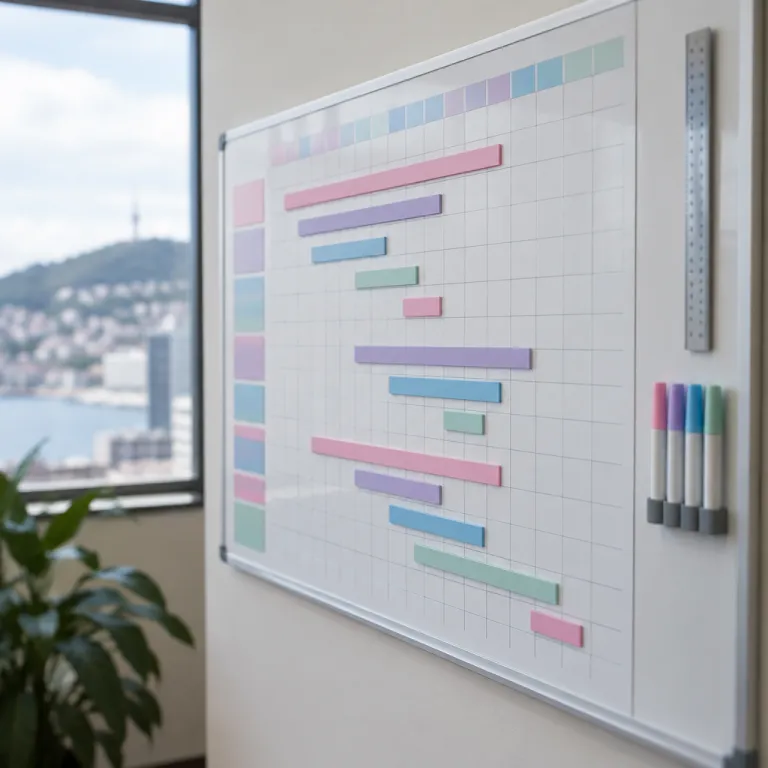
For a New Zealand office manager under constant time pressure, the question of what Gantt charts really are is more than academic. A Gantt chart is a horizontal bar chart that maps project tasks against a calendar based timeline, so you can see when work starts, when it should finish, and how every involved project fits together. When you understand what Gantt charts offer, you gain a high level visual of project management that turns scattered tasks into a coherent project timeline you can actually manage.
In practical terms, a modern Gantt chart is usually generated by project management software that lets you create timeline views from a simple list of project tasks. Each task becomes a bar on the chart, with its duration, dependencies, milestones, and assigned team members clearly visible, which helps you track progress and time without digging through endless emails or spreadsheets. For busy project managers in New Zealand companies, this single tool helps align projects, people, and time so that project progress is no longer hidden in individual inboxes or hallway conversations.
When office managers ask what Gantt charts can do beyond a normal chart, the answer lies in how they help you coordinate multiple projects at once. Traditional charts help you analyse data, but a Gantt style schedule helps you plan and track work over time, so you can see whether project planning assumptions still hold as tasks shift. By using a management Gantt approach across your portfolio of projects, you can track progress at a high level while still drilling into each project timeline to understand which project tasks are at risk and where extra support is needed from senior leaders.
How Gantt chart timelines optimise time in New Zealand offices
Time optimisation is a daily challenge for office managers in New Zealand companies that juggle compliance deadlines, client projects, and internal initiatives. When you use a Gantt chart as your central project management tool, you turn vague commitments into a precise project timeline that shows exactly when tasks must start and finish to protect delivery dates. This clarity helps project managers and team members negotiate realistic durations for tasks, so that projects are less likely to overrun and waste valuable time.
Because Gantt charts display tasks as bars along a shared timeline, you can easily see where work overlaps and where people are double booked across projects. That visibility helps you rebalance project tasks before bottlenecks appear, and it also helps you track progress against key milestones that matter to finance, HR, or operations. When you regularly update project progress in your scheduling view, you can track progress in near real time and adjust planning before small delays become major risks for the wider management team.
Many New Zealand firms already use time tracking software to understand how long work actually takes, especially in professional services and architectural practices. When that data feeds into a Gantt based plan, you can compare planned time with actual time and refine future project planning so estimates become more accurate and timelines help you justify staffing decisions. If you are evaluating the best tools for tracking time, pairing a robust time tracking platform with a Gantt based project management system creates a powerful combination for office managers who must coordinate multiple projects and still keep the lights on.
Using Gantt charts to coordinate team members and hybrid work
Office managers in New Zealand are often responsible for coordinating hybrid work patterns, shared desks, and distributed team members across regions. A Gantt chart gives you a single project management view that shows when each task requires specific people in the office, when remote work is fine, and how those choices affect the overall project timeline. By mapping project tasks against days when key team members are available on site, you can create Gantt schedules that align work with your hybrid policy instead of fighting against it.
When you ask what Gantt charts offer that a simple to do list cannot, the answer is coordination across multiple projects and locations. Gantt charts help you see which projects compete for the same specialists, which milestones fall during school holidays, and where the schedule supports you to negotiate with managers about shifting deadlines or reallocating work. This management Gantt perspective is especially valuable in New Zealand small and medium enterprises, where a few people are often involved project wide across finance, operations, and client delivery.
Hybrid work policies only succeed when project planning and scheduling respect when people are actually available to collaborate in person. By using a project timeline view alongside a clearly designed hybrid schedule, you can track progress on collaborative tasks that require workshops or sign offs in the office, while allowing deep focus work to happen remotely. When you create Gantt timelines that reflect your enforceable hybrid schedule, you make it easier for team members to plan their weeks, and you reduce the last minute rush that often undermines both productivity and morale.
From high level strategy to daily tasks with Gantt based project management
New Zealand office managers often sit between high level strategy and the daily reality of project tasks, which can create constant tension. A well structured Gantt chart bridges this gap by linking strategic milestones to concrete tasks, so that every bar on the chart supports a clear business outcome. When executives ask what Gantt charts can show at a glance, you can present a high level project timeline that highlights milestones, dependencies, and risks without overwhelming them with operational detail.
At the same time, project managers and team members need a more granular view of project tasks, and this is where visual timelines help you move from strategy to execution. By zooming into a specific project schedule, you can see which tasks are overdue, which milestones are at risk, and where assistance is required from other departments to unblock work. This dual perspective means that project management using Gantt charts helps both senior leaders and frontline staff track progress in a way that matches their responsibilities and time horizons.
Because Gantt charts are usually part of broader project management software, you can easily connect them to resource planning, risk registers, and budget tracking. When you create Gantt timelines that integrate with these modules, you can track progress not only in terms of time but also in terms of cost and scope, which is crucial for New Zealand organisations operating on tight margins. Over time, this management Gantt approach builds a repeatable way to plan projects, allocate people, and measure project progress, so that each new initiative benefits from the lessons of the last.
Practical steps to create Gantt timelines that actually work
Many office managers understand the theory of what Gantt charts are but struggle with the first practical steps. The most effective way to create Gantt timelines is to start with a simple list of project tasks, grouped into phases that reflect how work naturally flows in your organisation. Once you have that list, you can use project management software to convert it into a Gantt chart, assign durations, and link dependencies so that the project timeline reflects how work really happens.
When you create timeline views for multiple projects, consistency matters more than perfection in any single chart. Use the same naming conventions for tasks, the same colour coding for milestones, and the same rules for when a task is considered complete, because this helps team members understand charts easily across the portfolio. As you track progress, encourage project managers to update project progress directly in the shared schedule, so that the chart helps everyone see the current state of work without waiting for weekly status meetings.
Time optimisation also depends on how you use the Gantt tool day to day, not just how you set it up. Schedule short check ins where team members review the Gantt chart, confirm which tasks are on track, and flag where support is needed from other teams or suppliers. Over a few cycles, people start to see that Gantt charts help them manage their own time better, because they can anticipate busy periods, negotiate realistic deadlines, and avoid being pulled into every involved project at the last minute.
Managing SaaS, compliance, and recurring work with Gantt charts
Office managers in New Zealand companies rarely deal only with one off projects, because recurring work like SaaS renewals, compliance filings, and lease reviews also demands attention. A Gantt chart is a powerful tool for mapping these recurring tasks across the year, so you can see when multiple renewals or audits collide with major client projects. When you understand what Gantt charts can show about recurring work, you can plan project tasks and milestones to avoid crunch periods that burn out team members.
For example, many New Zealand firms now rely on dozens of SaaS tools, each with its own renewal date and notice period. By creating a dedicated project timeline for renewals, you can track progress on negotiations, cancellations, and vendor reviews, and you can align these tasks with your broader project planning calendar. Using a management Gantt approach for renewals also helps you coordinate with finance and legal, because timelines help everyone see which contracts are involved project wide and where early visibility helps you avoid unwanted auto renewals.
Compliance and governance work benefits from the same structured approach, especially when regulators update requirements or reporting formats. When you create Gantt timelines for audits, board reporting, and policy reviews, you can assign clear owners, set realistic durations, and track progress against fixed statutory deadlines. Over time, this disciplined use of Gantt charts helps New Zealand office managers turn reactive firefighting into proactive planning, so that recurring obligations no longer derail strategic projects or overwhelm already stretched teams.
Key statistics on Gantt charts, project management, and time optimisation
- Research from the Project Management Institute (PMI, 2021) reports that organisations with mature project management practices meet their goals about 77% of the time, compared with roughly 56% for less mature organisations, which highlights how structured planning tools like Gantt charts support reliable delivery.
- A global survey by Wellingtone (State of Project Management, 2021) found that around 47% of organisations do not consistently track project progress in real time, suggesting that many New Zealand companies could gain a competitive advantage by using Gantt based software to track progress more systematically.
- Data from McKinsey & Company ("The social economy", 2012) indicates that knowledge workers spend up to 20% of their time searching for internal information, and a central project timeline can reduce this wasted time by making project tasks, owners, and timelines visible in one place.
- Studies on hybrid work by Microsoft (Work Trend Index, 2022) show that about 40% of employees report unclear priorities as a major source of stress, and using a clear Gantt chart timeline for projects helps team members understand which tasks matter most each week.
- Research from Gartner (Program & Portfolio Management insights, 2020) suggests that organisations using integrated project management software can reduce project overruns by up to 30%, which underlines the value of combining Gantt charts with time tracking and resource planning tools.
FAQ about Gantt charts for New Zealand office managers
What are Gantt charts in simple terms for office managers ?
A Gantt chart is a horizontal bar chart that shows project tasks on a calendar based timeline, with each bar representing the start date, end date, and duration of a task. For an office manager, it provides a single view of who is doing what, when they are doing it, and how those tasks contribute to overall project milestones. This makes it easier to coordinate team members, manage time, and report project progress to senior leaders.
How do Gantt charts help with time optimisation in New Zealand companies ?
Gantt charts help you see where tasks overlap, where people are overloaded, and where there is slack time that can be used more effectively. By updating the chart regularly, you can track progress and adjust the project timeline before delays become critical, which is vital in New Zealand organisations with lean teams. Over time, comparing planned durations with actual time spent allows you to refine estimates and improve future project planning.
Do small New Zealand businesses really need Gantt chart software ?
Even small New Zealand businesses benefit from Gantt chart software when they manage multiple projects, recurring compliance tasks, or complex client work. A simple Gantt based tool can replace scattered spreadsheets and email threads, giving everyone a shared view of project tasks and milestones. The key is to choose software that matches your scale and to keep the Gantt chart focused on the information your team actually uses.
How often should project managers update a Gantt chart ?
Project managers should update the Gantt chart at least once a week for active projects, and more frequently during critical phases such as go live periods or audit deadlines. Regular updates ensure that the chart reflects real project progress, so office managers can make informed decisions about priorities and resource allocation. Without consistent updates, even the best designed Gantt chart quickly loses its value as a management tool.
Can Gantt charts work with hybrid and remote teams ?
Gantt charts are particularly useful for hybrid and remote teams because they provide a shared visual plan that everyone can access from anywhere. By mapping tasks that require in person collaboration versus those suitable for remote work, office managers can design schedules that respect both project needs and flexible working arrangements. This clarity reduces last minute conflicts and helps team members plan their time more confidently.
Simple 4 step checklist for New Zealand office managers
- List all project tasks and recurring obligations (including SaaS renewals and compliance dates) with owners and rough durations.
- Group tasks into phases, then build a basic Gantt chart in your chosen project management tool.
- Review the timeline with your team weekly, updating progress and resolving clashes in workload or hybrid schedules.
- After each project, compare planned versus actual dates and adjust your next Gantt chart based on what you learned.